> ## Documentation Index
> Fetch the complete documentation index at: https://docs.alerty.ai/llms.txt
> Use this file to discover all available pages before exploring further.
# Uptime
> Monitor your website's uptime and receive alerts when it goes down
## What is Uptime Monitoring?
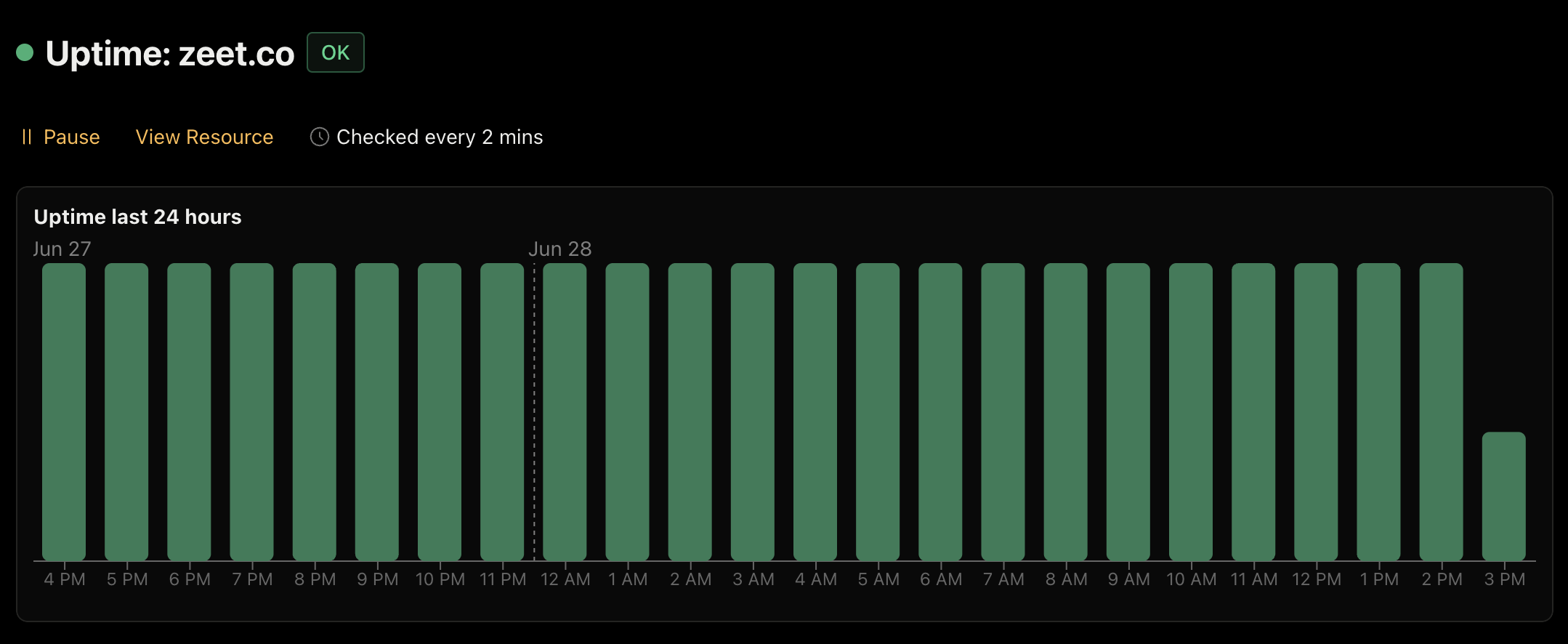
Uptime monitoring is a feature that allows you to track your website's availability and receive alerts when it goes down. It works by periodically checking your website and alerting you if it becomes unreachable.
## Why Monitor Uptime?
Monitoring your website's uptime is essential for several reasons:
* Customer Experience: A website that's frequently down or slow can frustrate users
* SEO: Search engines penalize websites with poor uptime, which can hurt search rankings
* Revenue: Downtime can lead to lost sales and revenue
 ## How do I set up Uptime Monitoring?
1. Visit the [Alerty dashboard](https://app.alerty.ai)
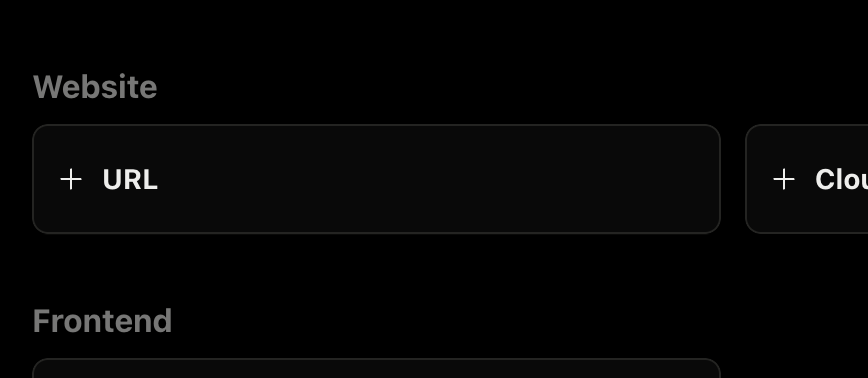
2. Click on "+ URL" to add a new URL monitor
## How do I set up Uptime Monitoring?
1. Visit the [Alerty dashboard](https://app.alerty.ai)
2. Click on "+ URL" to add a new URL monitor
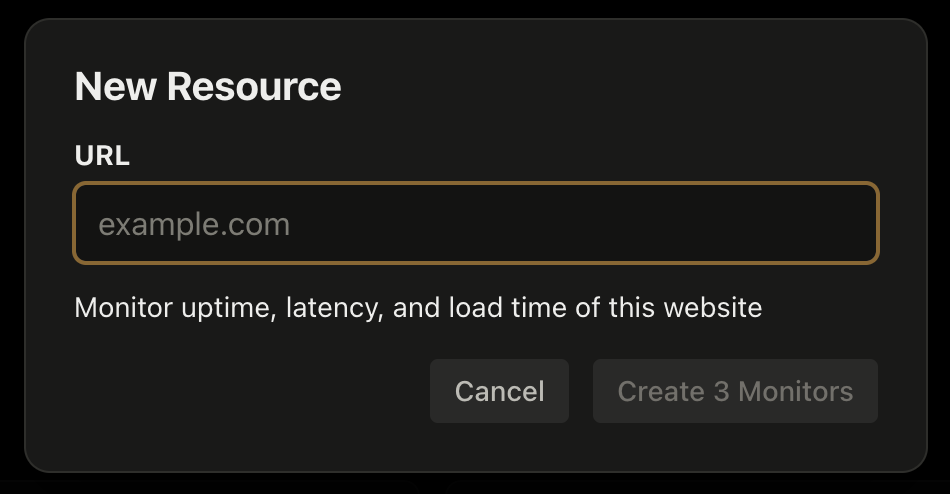
 3. Enter your website URL and click "Create Monitor"
 4. Alerty will begin monitoring your website!
It may take a few minutes for initial checks to complete, but you'll receive an alert if your website goes down.
4. Alerty will begin monitoring your website!
It may take a few minutes for initial checks to complete, but you'll receive an alert if your website goes down.